新浪博客已经快关闭了。需要把原有的博客导入到自建的wordpress里。
因为新浪博客没有导出图片功能,所以图片需要手工处理。
导出新浪博客
我的新浪博客“https://blog.sina.com.cn/ilovegames”
目前必须登录才能看到自己的内容。登录帐号和新浪微博帐号相同。
进入博文目录,选择文章导出。
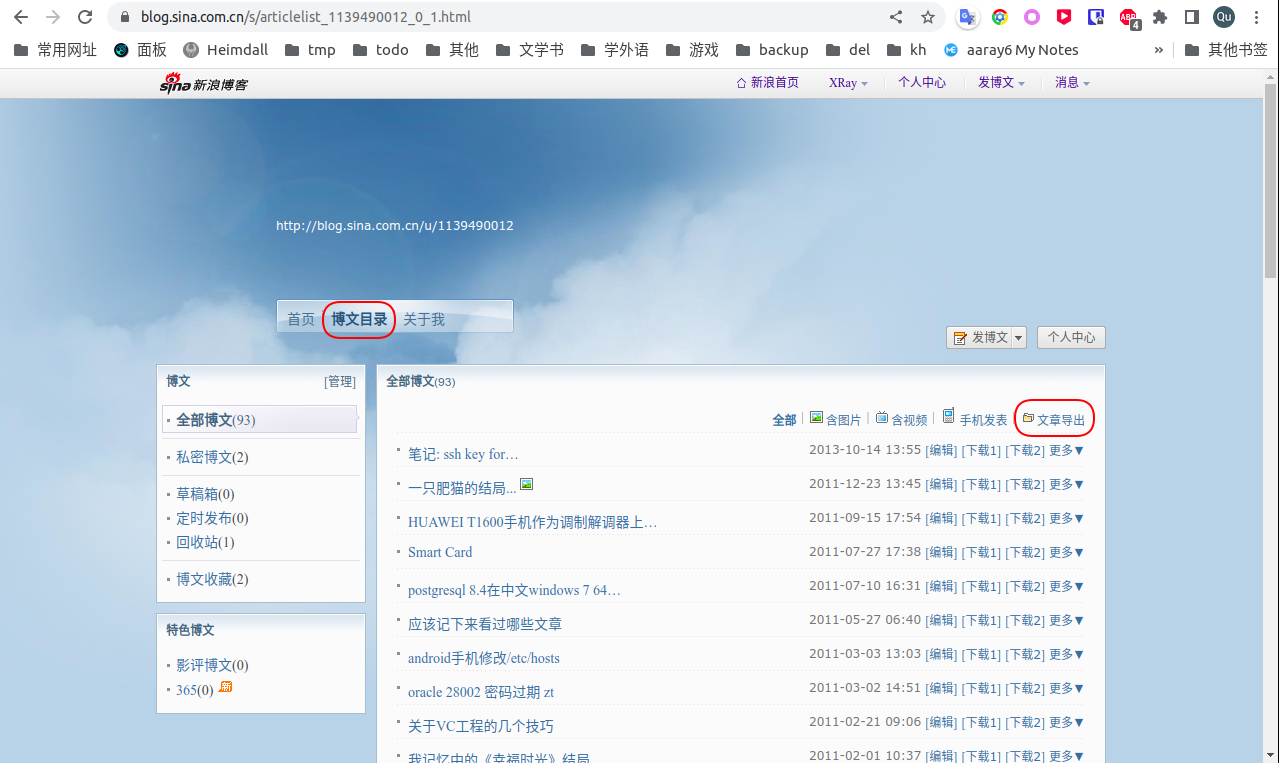
会导出文章.xls文件。包含3列数据: 日期,标题和内容。
转成csv文件
用wps打开。替换所有的逗号为“,”
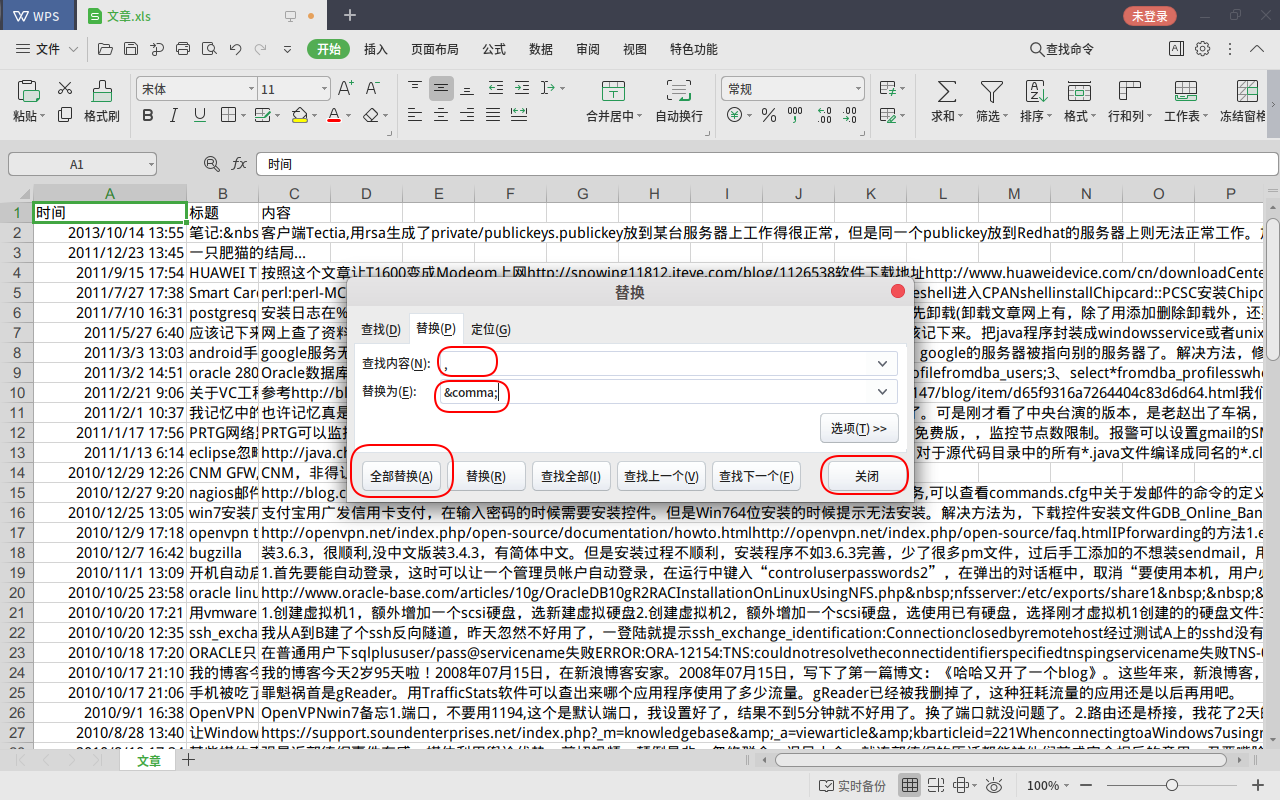
用文件->另存为保存为csv文件
1
2
3
| 时间,标题,内容
2013/10/14 13:55,笔记: ssh key formats - Tectia client can't login&n,客户端Tectia,用rsa生成了private/publickeys.publickey放到某台服务器上工作得很正常,但是同一个publickey放到Redhat的服务器上则无法正常工作。加-vvv参数出现的提示有如下信息debug:Ssh2AuthPubKeyClient:Trying1keycandidates...debug:Ssh2AuthPubKeyClient:Allkeysdeclinedbyserver,disablingmethod.debug:SshProtoAuthClient:Method\'pblickey\'disabled.用如上关键字搜到一个帖子\"ConnecttoalinuxboxfromWindowsusingRSAauthentication\"里面有如下解释TheOpenSSHdaemondoesnotusethekeyformatusedbytheSSHCommunicationsimplementation,nordoesitusethesameconfigfileformat.YouwillneedtoconvertyourpublickeytoOpenSSH\'sformat.See-ioptioninOpenSSH\'sssh-keygenmanpage.Alsomanauthorized_keys.我的理解就是我客户端用的是Tectia,一个SSHCommunication实现,它的publickey格式跟OpenSSH(RedHat默认sshserver)不一样。用如下命令在服务器上转换一下ssh-keygen-i-fkey.pub>>~/.ssh/authorized_keyskey.pub是客户端生成的publickey.再次尝试,通过。另外,我的.ssh目录权限是700,authorized_keys文件权限是600.不求甚解,仅记录一下,为我或者别人日后查看。
2011/12/23 13:45,一只肥猫的结局...,
|
WordPress导入数据
在wp中安装并启用插件“WP All Import”
文档在这里”https://www.wpallimport.com/documentation/“
导入
在WP管理页面打开菜单-> All Import,选择”Upload a file”
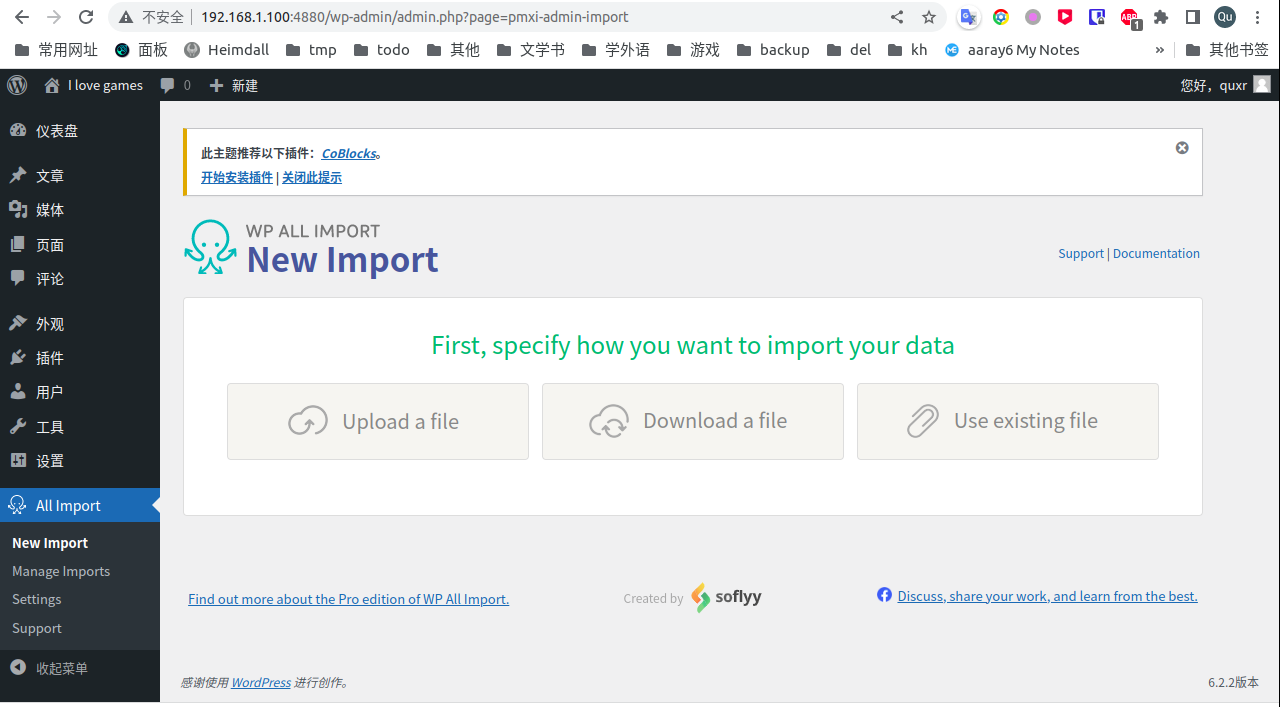
上传刚才生成的csv文件。在“Import data from this file into…”选择“文章”,点击“Continue to Step 2”
默认分隔符是逗号,识别出93条数据。点击“Continue to Step 3”
把undefined0,undefined1, undefined2分别拖到对应的字段
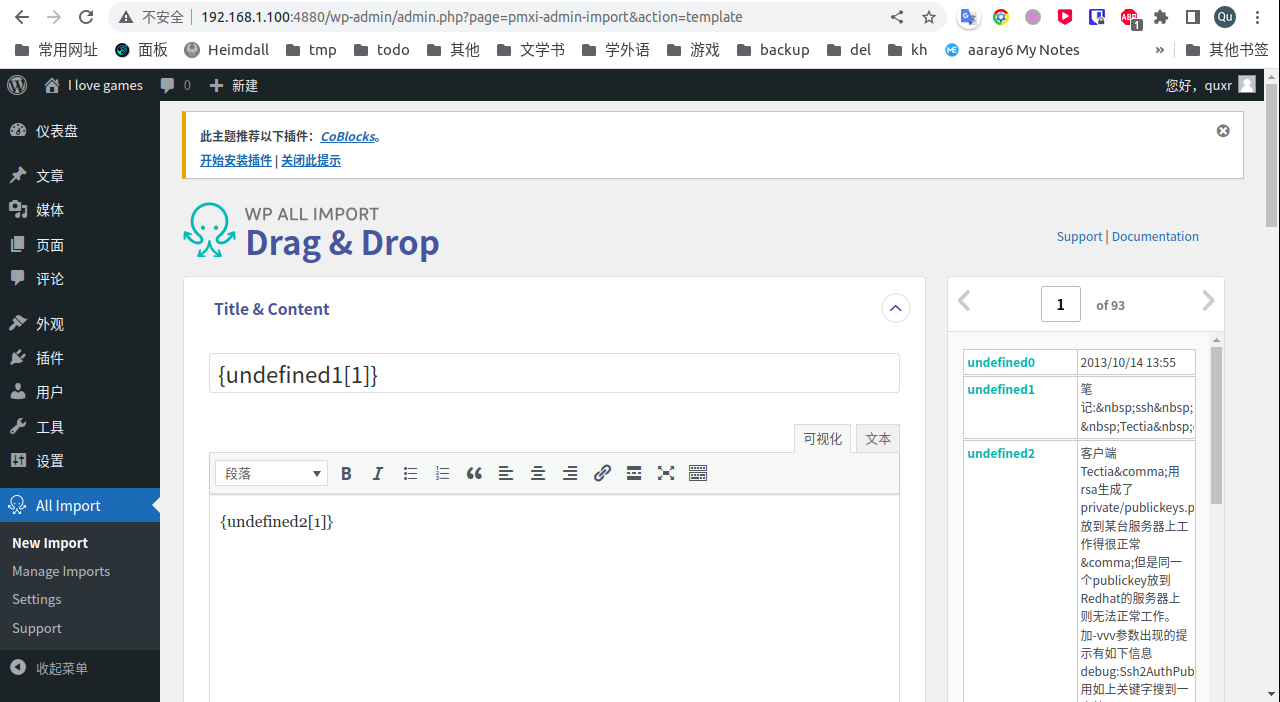
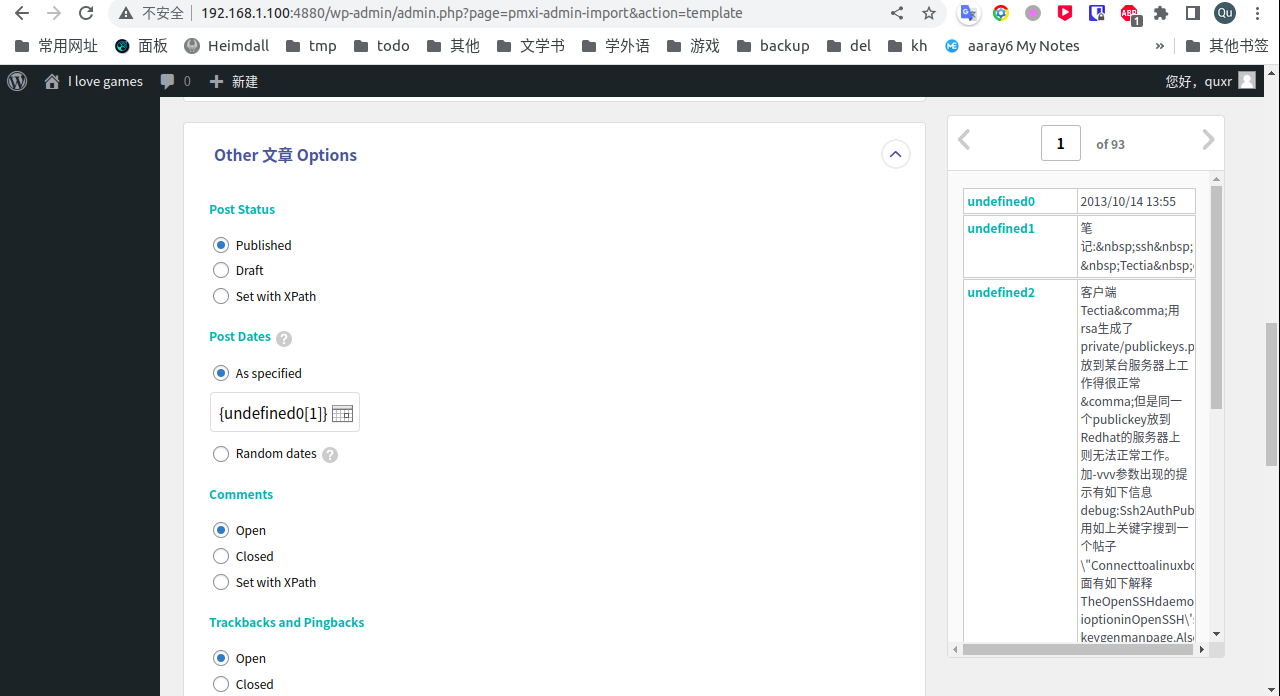
点击“Continue to Step 4”
在“Unique Identifier”点击“Auto-detect”。自动识别为“{undefined1[1]}”。点击Continue。
最后一步,点击”Confirm & Run Import”。进度条走到100%就完成了。
手工修复图片
由于无法导入图片,所以需要一个一个图片修复新的blog